A website for a rooftop or patio spot that sells the view before someone gets there

A rooftop or patio's website has one job a regular dining room doesn't: prove the view and the outdoor experience are worth the trip before someone leaves the house. It needs real photography of the space in daylight and at night, and clear, current information about whether the patio is actually open today.

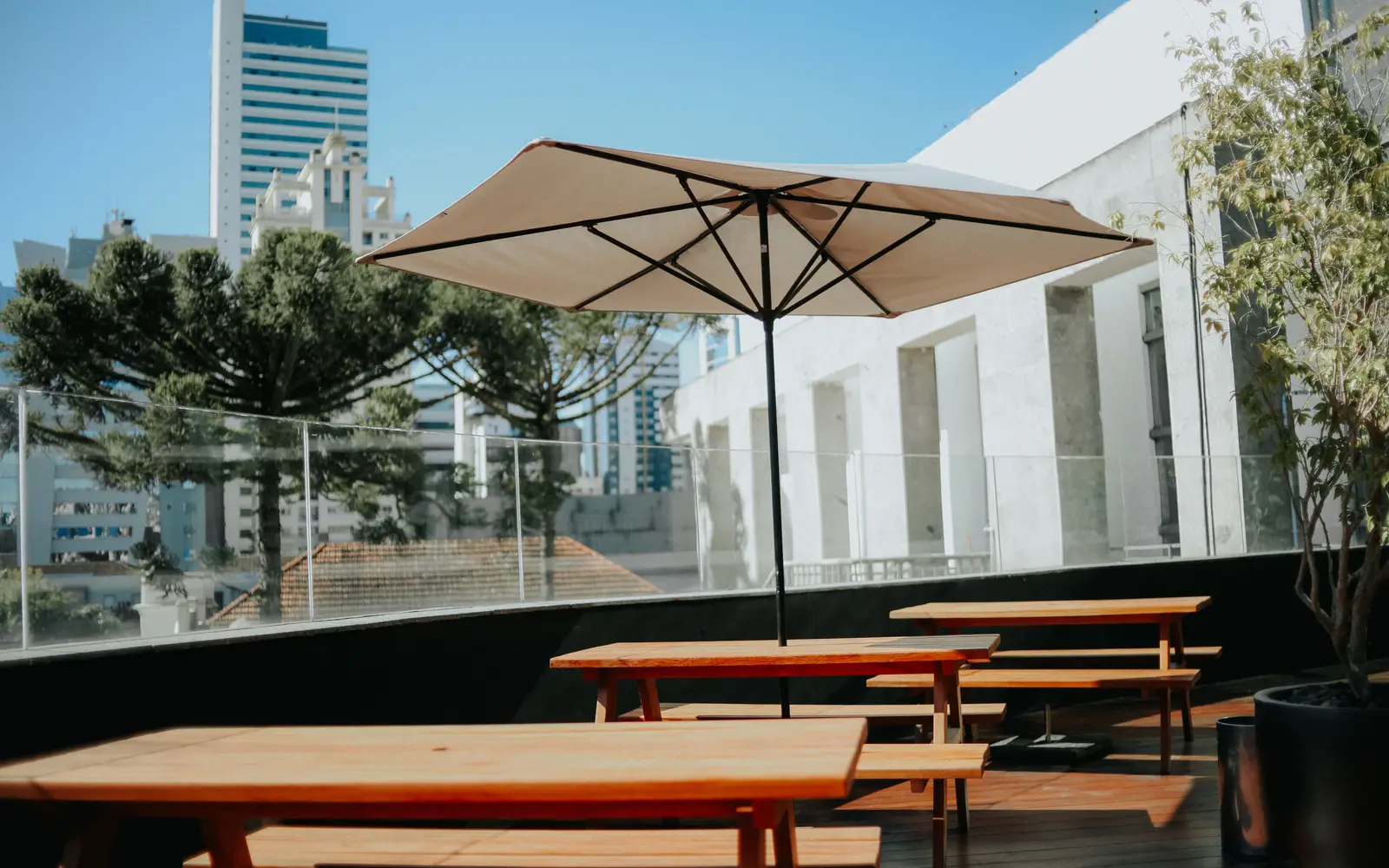
Rooftop patio with wooden seating and a parasol above a city skyline
Photo: carlos Eduardo on Pexels

What usually goes wrong for rooftop and patio spots

  • Weather and seasonal closures mean the patio isn't always open, and the site gives no way to check before someone shows up disappointed.
  • Photos of the view and the space are old, taken before a renovation, or too dark to actually show what makes the room special.
  • There's no dedicated page for the rooftop or patio itself, so it reads as an afterthought attached to a regular indoor menu.
  • Reservations for patio or rooftop seating specifically, which often books faster than the indoor room, get treated no differently from a regular table.

Patio seasons run long in California, Florida and Arizona and short but intense in New York and Illinois; the site handles both by making status and hours easy to change.

What changes once the site is live

Six months in, "is the patio open" is answered on the homepage before anyone calls, photos show the view in daylight and at night, and seasonal hours change once and appear everywhere. The busy weekend phone is quieter.

The pages your site will carry

Every page is written for your room and kept current through your monthly revisions.

  1. Home
  2. Rooftop or patio
  3. Menu
  4. Events and buyouts
  5. Reservations
  6. Gallery
  7. Hours and weather policy
  8. Contact

The tool built for rooftop and patio

Weather-aware patio status

A status banner that shows whether the patio or rooftop is open today, tied to your own posted schedule rather than a guess, so a guest checking on a rainy or cold day gets an honest answer instead of showing up to find it closed. You control the message behind it; we build the display.

Features that matter most for rooftop and patio

Every feature below, the everyday problem it solves, what you have to do, and which plan carries it. The Table is $117/ month, The Full House $247/ month + usage, Standing Room Only $597/ month.

Website

  • A gallery built for a room people post about

    A photo-forward layout that makes the space and the plates the main event.

    Solves
    Dark phone photos or stock images undersell a room people would happily post about.
    You do
    Send photos when you have them; we tell you which shots help most.
    • Included on The Table
    • Included on The Full House
    • Included on Standing Room Only

AI Engine

  • AI receptionist for calls

    Answers the phone when the team cannot, with your real hours, menu and policies, and books or takes details.

    Solves
    During service nobody can reach the phone, and every unanswered call is a table that goes somewhere else.
    You do
    Review the answers and the hand-off rules before launch.
    • Not on The Table
    • Included on The Full House
    • Included on Standing Room Only

Content and search

  • Google Business Profile and local map presence

    Your hours, photos and location stay accurate everywhere someone searches for a table.

    Solves
    Different hours on the map and the site lose a table to the place that got it right.
    You do
    Give us manager access once; tell us when hours change.
    • Included on The Table
    • Included on The Full House
    • Included on Standing Room Only

Bookings and guests

  • Reservation and waitlist integration

    Your booking and waitlist tools live on the page, not buried behind a link.

    Solves
    If booking a table takes a phone call during service, most people pick the place with a button.
    You do
    Tell us which reservation or waitlist tool you use.
    • Included on The Table
    • Included on The Full House
    • Included on Standing Room Only

What happens after you order

No mystery between paying and opening the doors. Here is every step, who does it, and how long it takes.

  1. Day 0

    1. Pick a plan and pay the first month

    The monthly fee starts the plan. The $647 build fee is not charged now.

    Your part: Choose a plan.

  2. Same day

    2. Fill in the onboarding form

    Menu, hours, locations, photos, brand and where inquiries should land. About 15 minutes; send what you have and the rest later.

    Your part: About 15 minutes.

  3. Within days

    3. One onboarding call

    We fill any gaps, agree the pages and lock the launch date. The build clock starts here.

    Your part: One call.

  4. 7 to 15 days

    4. We build and load everything

    Live in 7 days on The Table, 10 on The Full House while the AI Engine learns your details, 15 on Standing Room Only. Real menu, real photos, reservations wired in.

    Your part: Nothing, unless we ask.

  5. Launch

    5. You review, approve and we go live

    You see the finished site first. The $647 build fee is invoiced only after it is live and you are happy with it.

    Your part: Approve.

  6. Every month

    6. We keep it current

    5 revisions a month, each within 2 to 5 working days, weekly articles, your map listing kept in step, speed checked after every change.

    Your part: Send changes from your client portal.

What owners of rooftop and patio say

  • We have only just started collecting this data for bistro private dining, and it has already changed our reviews. Each inquiry records where it began, which is the only number I asked for. Content decisions now start from evidence rather than impressions.

    Dorian Harwood, Events and bookings leadRiverside bistro with terrace, Green Bay, WIBasic inquiry source reporting for bistro private dining
  • Previous projects left us a website and a memory; this one left instructions. Contacts, change process, post-publication checks, all written down in plain terms. The site survives my holiday now, which it never did before.

    Pradeep Yadav, Front desk leadGarden courtyard bistro, Akron, OHStaff handover and maintenance notes for bistro private dining

Case studies for rooftop and patio spots

Real projects, told from the starting point to what changed, in the words of the people who run the floor.

All case studies

Three ways to run it

  • The Table

    $117 / month

    The website, fully managed, live in 7 days.

  • The Full House

    $247 / month + usage

    Everything, plus the AI Engine, live in 10 days.

  • Standing Room Only

    $597 / month

    Everything, plus the Content Engine, live in 15 days.

Plus a $647 one-time build fee, invoiced only after launch and your approval. Weather and patio status wording is published as you set it; we never promise availability your team has not confirmed. Compare the plans.

Questions from rooftop and patio spots

Can the site show whether the patio is open today?

Yes, a patio status banner shows the current status based on information you control, so a guest checking on a questionable-weather day gets an honest answer before they leave the house. You update the status yourself or send it to us as a quick request, whichever you prefer.

Can you handle photography for a space with a view?

The site is built to carry real photography of your space, including the view, in both daylight and evening light, since a rooftop or patio sells on ambiance as much as on food. We design the gallery to show the space at its best in whichever photos you provide, and can point you toward what shots would help most.

Do rooftop reservations work differently from indoor ones?

They can. If your rooftop or patio seating books through a separate system or fills faster than the indoor room, we set up the reservation flow to reflect that, so a guest booking outdoor seating gets accurate availability instead of being shown indoor tables that don't apply to them.

What happens to the patio page in the off-season?

It can be updated to reflect a seasonal closure or a reduced schedule rather than showing stale summer information in the middle of winter. That kind of seasonal update is a normal revision, so the site always reflects what's actually available right now.

How does the patio status get updated?

You tell us the rule, such as open when above a certain temperature or on set days, and we set the status accordingly. Changes to the rule are one revision.

Can the AI answer "is the rooftop open"?

On The Full House and Standing Room Only, yes: the AI receptionist and chat answer from your posted hours and patio status.

Do seasonal hours update Google too?

Yes. Hours are updated on the site and your Google Business Profile together, so they never disagree.

What does a rooftop bar website cost?

From $117 a month, including the patio status tool and gallery.

See it built for rooftop and patio

A live walk-through, on your screen, of the site you would get. Live in 7 days on The Table.