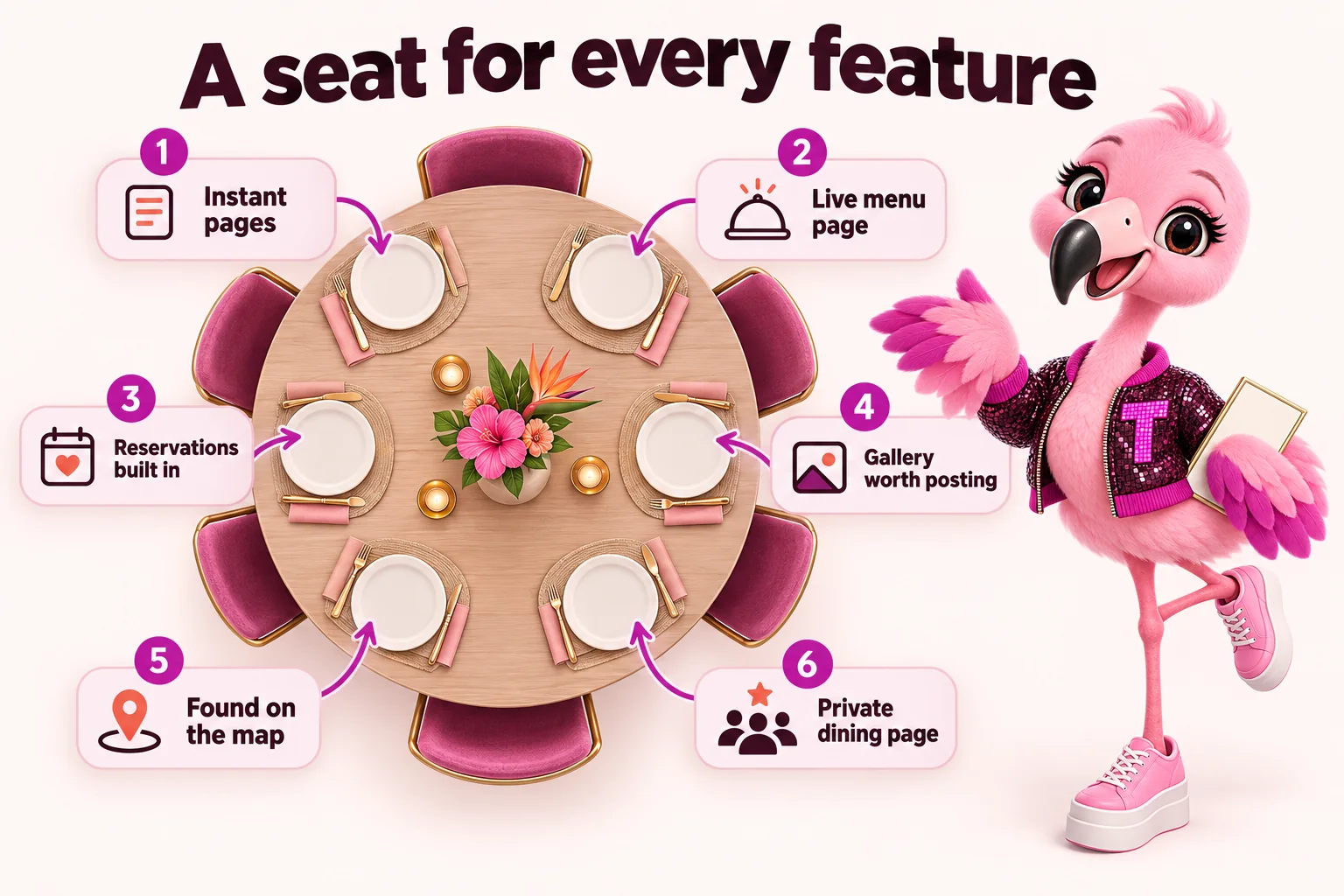
Everything included in a EateryWebStudio website
Every feature of a EateryWebStudio website for neighbourhood restaurants and social dining spots, and which of the three plans carries it.
Jump to a feature
Pages that open instantly
Custom-coded pages served from the edge, 90+ PageSpeed guaranteed.
Why speed is the first feature
A page that opens instantly keeps the person who was one thumb-swipe from leaving. Every page here is custom coded rather than built from a stack of plugins, ships almost no JavaScript, and is served from a global edge network, so it loads fast on the day it goes live rather than after someone finally audits it. That matters most for a restaurant site, because most of the traffic that decides tonight's plans is standing at a bar, on a train platform, or half paying attention while a friend argues about where to eat. 90+ PageSpeed is not a target we chase after launch. It is the baseline every page ships with.
Built for the phone in someone's hand
Most restaurant searches happen on a phone, usually within a few minutes of wanting a table tonight, so the site is designed mobile-first rather than shrunk down from a desktop layout as an afterthought. Menus, hours, the reservation link and the address are one thumb-reach away on every page, not buried three taps deep in a hamburger menu. Photos load sized for the screen they land on instead of dragging down a full desktop image on data. The result is a site that feels quick and obvious to someone standing outside deciding whether to walk in, which is exactly the moment it needs to work.
Available on: The Table, The Full House, Standing Room Only
Reservation and waitlist integration
Your booking and waitlist tools live on the page, not buried behind a link.
The booking step happens without a detour
Your reservation and waitlist tools sit directly on the page instead of behind a link that opens a slow third-party site in a new tab. Whatever platform you already use for bookings, we build it into the design so the flow from browsing your gallery to picking a time feels like one continuous action, not a handoff to somewhere that looks nothing like your site. For a walk-up crowd on a Friday night, a waitlist widget on the homepage means someone can add their name from the sidewalk instead of calling and hoping someone at the host stand picks up.
Set once, keep working
Once the integration is built, it keeps working without you touching it again. If you switch reservation platforms later, that is one revision request, not a rebuild. We handle the setup, the placement, and making sure the booking button is the most obvious thing on the page above the fold, because a reservation panel someone has to hunt for is a reservation that goes to whichever competitor made theirs easier to find first. That reliability matters most on a night when the room is slammed and nobody on the floor has time to troubleshoot a broken embed halfway through service.
Available on: The Table, The Full House, Standing Room Only
A gallery built for a room people post about
A photo-forward layout that makes the space and the plates the main event.
The room and the plates do the selling
A restaurant sells an experience before it sells a dish, so the gallery is built to carry real photography of the room, the bar, the plates and the crowd, not a handful of stock interior shots that could belong to any restaurant in the country. The layout is photo-forward by design: large images, minimal text competing for attention, and a grid that holds up whether you have twelve strong photos or two hundred. This is usually the page that convinces someone your dining room is where their group photo should be taken this weekend.
Easy to keep current
A gallery that has not changed since opening week stops working the moment regulars notice. Adding new photos from a recent event, a new dish or a renovated patio is a normal revision request, so the page can move at the same pace as your social feed instead of lagging a year behind it. We can also pull in a live feed from your existing social accounts if you would rather the gallery update itself between requests, so the newest photo from last night's dinner service shows up here too.
Available on: The Table, The Full House, Standing Room Only
Google Business Profile and local map presence
Your hours, photos and location stay accurate everywhere someone searches for a table.
Show up where people are actually searching
Most people looking for a restaurant tonight are not typing your name into a search bar, they are searching a cuisine or a neighbourhood and choosing from whatever the map shows. Your Google Business Profile is set up and kept aligned with your site, so your hours, address, photos and menu link match everywhere someone might find you, on the map, in local search results, and on your own pages. Mismatched hours between your website and your map listing are one of the fastest ways to lose a table to someone who called ahead and got a different answer.
One accurate source, everywhere
When your hours change for a holiday, a private event or a slow Tuesday, that update goes out once and stays consistent across your site and your local listing instead of living in two places that drift apart. This matters most for anything time-sensitive: a temporary closure, a new patio season, or a change to last call. Local presence is not a one-time setup and forget task here. It is maintained the same way the rest of your site is.
Available on: The Table, The Full House, Standing Room Only
Events and private dining page system
A dedicated page for buyouts, parties and private dining, with a real enquiry form.
A real page for buyouts and private parties
Private dining and full buyouts deserve their own page, not a line buried at the bottom of your contact page, because the person planning a rehearsal dinner or a company holiday party is comparing several rooms and will move on if yours does not make the case quickly. This page carries photos of the space set up for events, capacity information, and a clear description of what a private booking actually includes, so the enquiry that lands in your inbox is already a warm one instead of a vague first question.
An enquiry form that asks the right questions
The enquiry form collects headcount, preferred date and the type of event up front, so whoever answers it can respond with a real quote instead of a round of back-and-forth emails just to figure out what was being asked. Submissions route to whichever inbox or team member handles private events, and on The Full House and above, the AI Engine can field the first round of common questions, such as minimum spend or available dates, before a person ever needs to step in.
Available on: The Table, The Full House, Standing Room Only
Online ordering and delivery link hub
One page that sends people to your ordering platforms instead of a search results page.
Send people to ordering, not to a results page
When someone searches your restaurant's name wanting to order tonight, the worst outcome is landing them on a results page full of delivery apps taking a cut before they have picked a single item. This page puts your own ordering links front and center: pickup, delivery, and whichever platforms you use, all in one place that looks like your site instead of a generic aggregator listing. It is the difference between an order that comes through at full price and one that arrives after a platform's markup and fees are already baked in.
Works alongside whatever you already use
This is not a replacement for your ordering system, it is the front door to it. Whether you run ordering through a delivery platform, a dedicated ordering tool, or a phone number and a clipboard, the hub links out cleanly and updates the moment a platform changes or a new one gets added. If you decide to add curbside pickup or change which delivery services you work with, that is a normal revision, live within a few working days. You never have to explain the change to your customers, they land on a page that already reflects it.
Available on: The Table, The Full House, Standing Room Only
Multi-location support
One site, every location, each with its own hours, menu and map pin.
One site that still feels like each location
Running more than one location does not mean running more than one website. Each location gets its own hours, menu differences, address, map pin and photos, while sharing one consistent brand, one navigation system and one login for you. Someone searching for your restaurant in a specific neighbourhood lands on the page for that location, with the right hours and the right phone number, instead of a generic page that makes them guess which one applies to them.
Adding a location is a request, not a rebuild
When you open a new location, it gets added as a location page inside your existing site rather than requiring a new build, a new domain or a separate monthly fee for a second site. Each location can carry its own specials, its own private dining details and its own gallery, so a flagship location and a newer neighbourhood spot both feel accurate to the room they represent, not like copies of each other with the address swapped.
Available on: The Table, The Full House, Standing Room Only
The AI Engine
Answers common questions and routes enquiries to the right inbox, day and night.
Answers the questions your phone gets asked all night
The AI Engine handles the questions that come in on repeat: do you take walk-ins, is there parking, can you fit a party of eight, are you open on the holiday. It answers using your actual hours, menu and policies, available on the site any time someone visits, so a question at 11pm on a Saturday gets a real answer instead of going unanswered until Monday. It is trained on your site's content and kept current as your information changes, and it comes standard from The Full House up.
Routes what actually needs a person
Not every question should be automated, so the engine is set up to recognize when something needs a real person, a private event enquiry, a complaint, a request outside what it knows, and route it straight to your inbox instead of guessing at an answer. This keeps the front of house free to run the floor instead of the phone, while nothing that matters gets missed. Usage is billed alongside your monthly fee at what the AI provider charges, with no markup added.
Available on: The Full House, Standing Room Only
The Content Engine
Researched articles published every week so the site keeps ranking for new searches.
New, researched pages every week
The Content Engine publishes researched articles every week, each running 2,500 to 3,200 words, covering the kind of searches that bring in people who have not decided where to eat yet: neighbourhood guides, cuisine explainers, event planning questions and seasonal menu features. Each one is built to answer a real question first, cited where it uses outside information, and structured so it can keep ranking months after it is published rather than sitting unread on page one of your blog. On Standing Room Only, that runs at three articles a week.
Content that points back to a table
Every article links back into the site itself: the menu, the reservation page, the private dining page, or the location it is written about, so the traffic it earns has somewhere useful to land instead of dead-ending on a blog post. This is what turns organic search into a channel that keeps producing new bookings months after an article goes live, instead of a one-time spike the week it was posted. It also gives you something worth sharing on social the same week it publishes, instead of copy that only exists to satisfy a search algorithm.
Available on: Standing Room Only
Every feature, tier by tier
| Feature | The Table | The Full House | Standing Room Only |
|---|---|---|---|
| Pages that open instantly | |||
| A menu page that never falls behind the kitchen | |||
| Reservation and waitlist integration | |||
| A gallery built for a room people post about | |||
| Google Business Profile and local map presence | |||
| Events and private dining page system | |||
| Online ordering and delivery link hub | |||
| Multi-location support | |||
| The AI Engine | |||
| The Content Engine |
How a feature goes live
- 1Pick a planThe three tiers on pricing.
- 2OnboardA 15 minute form, then one call.
- 3We buildLive in 7 to 15 days.
- 4Keep it currentRevisions and articles, monthly.
Questions on the AI Engine and articles
What does the AI Engine actually do?
It answers the questions your phone gets asked on repeat: do you take walk-ins, is there parking, can you seat a party of eight, are you open on the holiday. It answers using your real hours, menu and policies, any time someone visits the site, and routes anything it cannot answer, a private event enquiry or a complaint, straight to your inbox instead of guessing.
Which plans include it, and how is usage billed?
It comes standard on The Full House and Standing Room Only. Usage is billed alongside your monthly fee at what the AI provider charges, with no markup added on our side, so the cost tracks how much it is actually being used rather than a flat guess.
What do the weekly articles actually cover?
Neighbourhood guides, cuisine explainers, event and private dining questions, and seasonal menu features: the kind of searches that reach people who have not decided where to eat yet. The Table and The Full House get 2 researched articles a week, and Standing Room Only gets 3, each 2,500 to 3,200 words.
Do the articles link back to bookings, or just sit on the blog?
They link back into the site itself: the menu, the reservation page, the private dining page, or whichever location the piece is about, so the traffic an article earns has somewhere useful to land. That is what keeps organic search producing new bookings months after a piece goes live, rather than a one-time spike the week it is posted.
See these features on a real build
A live walk-through, on your screen, of exactly what your plan includes.
Book a demo