A website for an all-day cafe that keeps brunch, lunch and dinner straight

An all-day cafe's website has to do something a single-menu restaurant never worries about: show the right menu for the right hour without confusing someone who showed up for brunch and found a dinner menu instead. It needs a coffee program that gets its due, and hours that are actually accurate as they shift through the day.

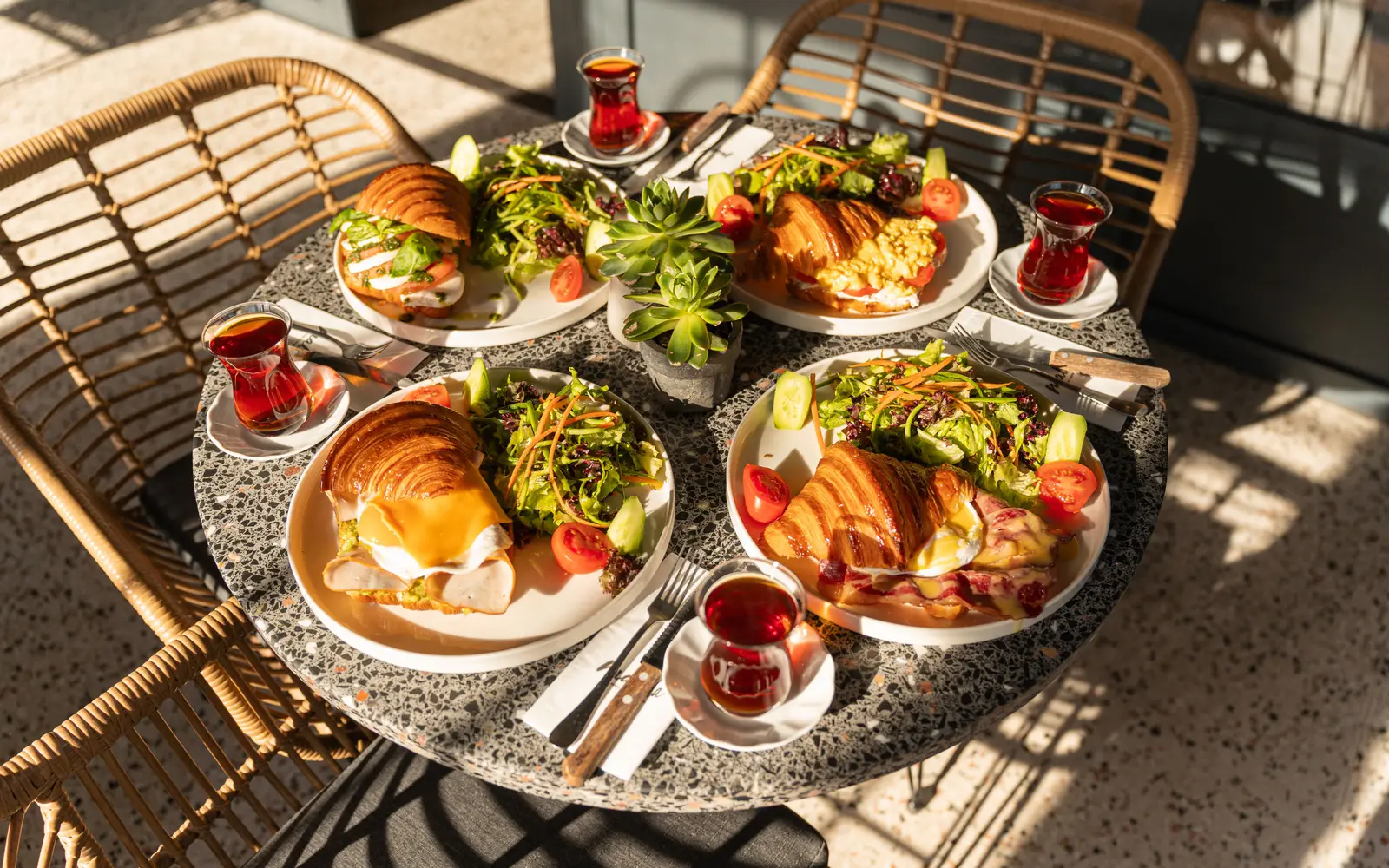
Sunlit brunch table with croissants, salads and tea
Photo: Amine Kübranur Çakıroğlu on Pexels

What usually goes wrong for brunch and all-day cafes

  • One long menu page mixes brunch, lunch and dinner items together, so a guest can't tell what's actually being served right now.
  • The coffee and pastry program, often the reason people come back daily, gets buried under the food menu instead of getting its own spotlight.
  • Hours that change between weekday and weekend, or between brunch service and dinner service, are confusing or wrong on the current site.
  • There's no way to order a coffee and pastry to go online, so easy repeat business goes to whichever cafe down the street has that set up.

What changes once the site is live

Six months in, the right menu shows for the right hour, weekend brunch questions get answered before Monday, and your own ordering page comes up before the delivery apps when people search your name. The coffee program finally has a page people share.

The pages your site will carry

Every page is written for your room and kept current through your monthly revisions.

  1. Home
  2. Brunch menu
  3. Lunch and dinner menu
  4. Coffee and pastries
  5. About
  6. Catering
  7. Order online
  8. Contact

The tool built for brunch and cafes

Brunch and dinner menu switcher

A simple toggle that shows the right menu for the time of day, so a guest checking the site at 8am sees brunch and a guest checking at 7pm sees dinner, without scrolling through both. It follows your actual posted hours, so it switches on its own.

Features that matter most for brunch and cafes

Every feature below, the everyday problem it solves, what you have to do, and which plan carries it. The Table is $117/ month, The Full House $247/ month + usage, Standing Room Only $597/ month.

Website

  • A menu page that never falls behind the kitchen

    Update prices, specials and dishes yourself, or hand it to us, without touching code.

    Solves
    A PDF or out-of-date menu makes guests call to ask what is on tonight, or go elsewhere.
    You do
    Send the change: a photo of the new menu is enough.
    • Included on The Table
    • Included on The Full House
    • Included on Standing Room Only

Bookings and guests

  • Online ordering and delivery link hub

    One page that sends people to your ordering platforms instead of a search results page.

    Solves
    Search sends hungry people to delivery apps that take a cut before they order.
    You do
    List the ordering platforms you use.
    • Included on The Table
    • Included on The Full House
    • Included on Standing Room Only

AI Engine

  • AI text-message replies, with A2P 10DLC registration filed for you

    Guests text a question and get an answer from your real details; we file the carrier registration texting needs.

    Solves
    Guests text rather than call, and a text that waits a day is a party that booked somewhere else.
    You do
    Approve the replies and keep consent and opt-out records for your own texting.
    • Not on The Table
    • Included on The Full House
    • Included on Standing Room Only

Content and search

  • SEO, answer engines and AI assistants

    Technical and on-page SEO, structured data, FAQ answers and llms.txt so search engines and AI assistants can understand you.

    Solves
    People search a cuisine and a neighborhood, not your name, and a site search engines cannot read never shows up.
    You do
    Nothing beyond confirming your details are right.
    • Included on The Table
    • Included on The Full House
    • Included on Standing Room Only

What happens after you order

No mystery between paying and opening the doors. Here is every step, who does it, and how long it takes.

  1. Day 0

    1. Pick a plan and pay the first month

    The monthly fee starts the plan. The $647 build fee is not charged now.

    Your part: Choose a plan.

  2. Same day

    2. Fill in the onboarding form

    Menu, hours, locations, photos, brand and where inquiries should land. About 15 minutes; send what you have and the rest later.

    Your part: About 15 minutes.

  3. Within days

    3. One onboarding call

    We fill any gaps, agree the pages and lock the launch date. The build clock starts here.

    Your part: One call.

  4. 7 to 15 days

    4. We build and load everything

    Live in 7 days on The Table, 10 on The Full House while the AI Engine learns your details, 15 on Standing Room Only. Real menu, real photos, reservations wired in.

    Your part: Nothing, unless we ask.

  5. Launch

    5. You review, approve and we go live

    You see the finished site first. The $647 build fee is invoiced only after it is live and you are happy with it.

    Your part: Approve.

  6. Every month

    6. We keep it current

    5 revisions a month, each within 2 to 5 working days, weekly articles, your map listing kept in step, speed checked after every change.

    Your part: Send changes from your client portal.

What owners of brunch and cafes say

  • I tested the bistro private dining page on my own phone before we approved anything. The important details sit near the top and the inquiry button is impossible to miss. Sending the link by text during a call finally works the way it should.

    Anwar Nazari, Bookings administratorCity center bistro, Omaha, NEMobile navigation and page layout for bistro private dining
  • Years of shared bistro private dining links were my concern, and they treated it as theirs. We reviewed the full redirect map before launch and checked the destinations ourselves. I could share the new site knowing the old links had been taken seriously.

    Katherine Shackleton, Service supervisorVegetarian-friendly bistro, Salem, ORPage migration and redirect mapping for bistro private dining
  • The scenario I cared about was the one nobody demos, the bistro private dining form going down. There is now a visible backup route, honest error wording, and a test that proves mail arrives. Hoping the form never breaks is no longer the strategy.

    Esther Wheatley, Shift supervisorItalian family bistro, Columbia, SCContact resilience and delivery checks for bistro private dining

Case studies for brunch and all-day cafes

Real projects, told from the starting point to what changed, in the words of the people who run the floor.

All case studies

Three ways to run it

  • The Table

    $117 / month

    The website, fully managed, live in 7 days.

  • The Full House

    $247 / month + usage

    Everything, plus the AI Engine, live in 10 days.

  • Standing Room Only

    $597 / month

    Everything, plus the Content Engine, live in 15 days.

Plus a $647 one-time build fee, invoiced only after launch and your approval. Menus carry an allergen and dietary note you approve, which matters most for a cafe serving pastries and brunch plates to families. Compare the plans.

Questions from brunch and all-day cafes

Can the site show different menus for different times of day?

Yes, the menu switcher shows brunch, lunch or dinner based on your actual hours, so nobody scrolls through an evening menu at 9am looking for the option they actually want. If your hours or menu structure change, that update is a normal revision.

Can we sell coffee and pastries online?

Yes, an online ordering and delivery link hub sends people straight to whichever platform or system you use for pickup or delivery orders, all from one page that looks like your site rather than a results page full of competitors. It works alongside whatever ordering tool you already run.

Do you handle catering inquiries?

Yes, catering gets its own page with a form that asks for headcount, date and event type up front, so the response you send is already useful. If catering is a meaningful part of your business, we can make it a bigger part of the site than a single page.

How do you handle our weekday versus weekend hours?

Hours are set up once and kept accurate everywhere they appear, including your Google Business Profile and map listing, so a guest checking on a Saturday sees your weekend brunch hours and a guest checking on a Wednesday sees your weekday schedule. Any change to your hours is a quick revision, not a rebuild.

Can the menu switch between brunch and dinner automatically?

Yes. A menu switcher shows the service that matches the time of day, with every menu still reachable, so nobody lands on dinner when they came for brunch.

Can guests text us about weekend brunch?

On The Full House and Standing Room Only, the messaging agent replies to texts with your real details, and we file the A2P 10DLC carrier registration texting needs.

Will our own ordering page beat the delivery apps in search?

We cannot guarantee a position, but a fast ordering hub on your own domain, with consistent details on your map listing, gives search engines a clear official option to show.

What does a cafe website cost?

From $117 a month, with 5 revisions a month for menu and hours changes.
See it built for brunch and cafes

A live walk-through, on your screen, of the site you would get. Live in 7 days on The Table.